The model is only one part of this DevDay. OpenAI also gave agents a place to work, developers more ways to build, and teams more places to meet the result. A terminal, a shared document, a Slack thread, a browser, a plugin: the release moves between all of them.
At DevDay on 29 September 2026, OpenAI grouped more than twenty announcements into five themes. Its ambition is to make ChatGPT both a working environment and a platform where developers can reach what it reports are 1.2 billion weekly users. That is OpenAI’s audience figure, not a count of people using any particular new feature.
Here is the full tour, including the less glamorous details that decide whether a launch is useful: which product surface has it, what it costs, who can access it, and what remains a preview. This is a 30 September snapshot of official announcements and documentation, not a hands-on test of the new products. Where the recap and a more specific guide differ, we name the difference. All product images are OpenAI’s official artwork or illustrative screenshots; select an image to open its source page.
The agent gets a desk
Dots
Dots are OpenAI’s always-on agents, powered by GPT-6 Astra. Your primary dot has its own cloud computer and browser, keeps useful context, learns from feedback, and can work on ongoing responsibilities rather than waiting for a new isolated prompt. OpenAI says its plugin ecosystem can connect to over 4,000 apps. That is an ecosystem claim, not 4,000 connections automatically authorized on your account.
The appealing picture is a colleague who keeps the thread: investigate feedback, prepare a tested change, update a brief when evidence changes, then bring back work for review. You can inspect the dot’s computer, message it, or start a voice call. Optional access to your own computer is separate; that machine must be online with the ChatGPT app open.
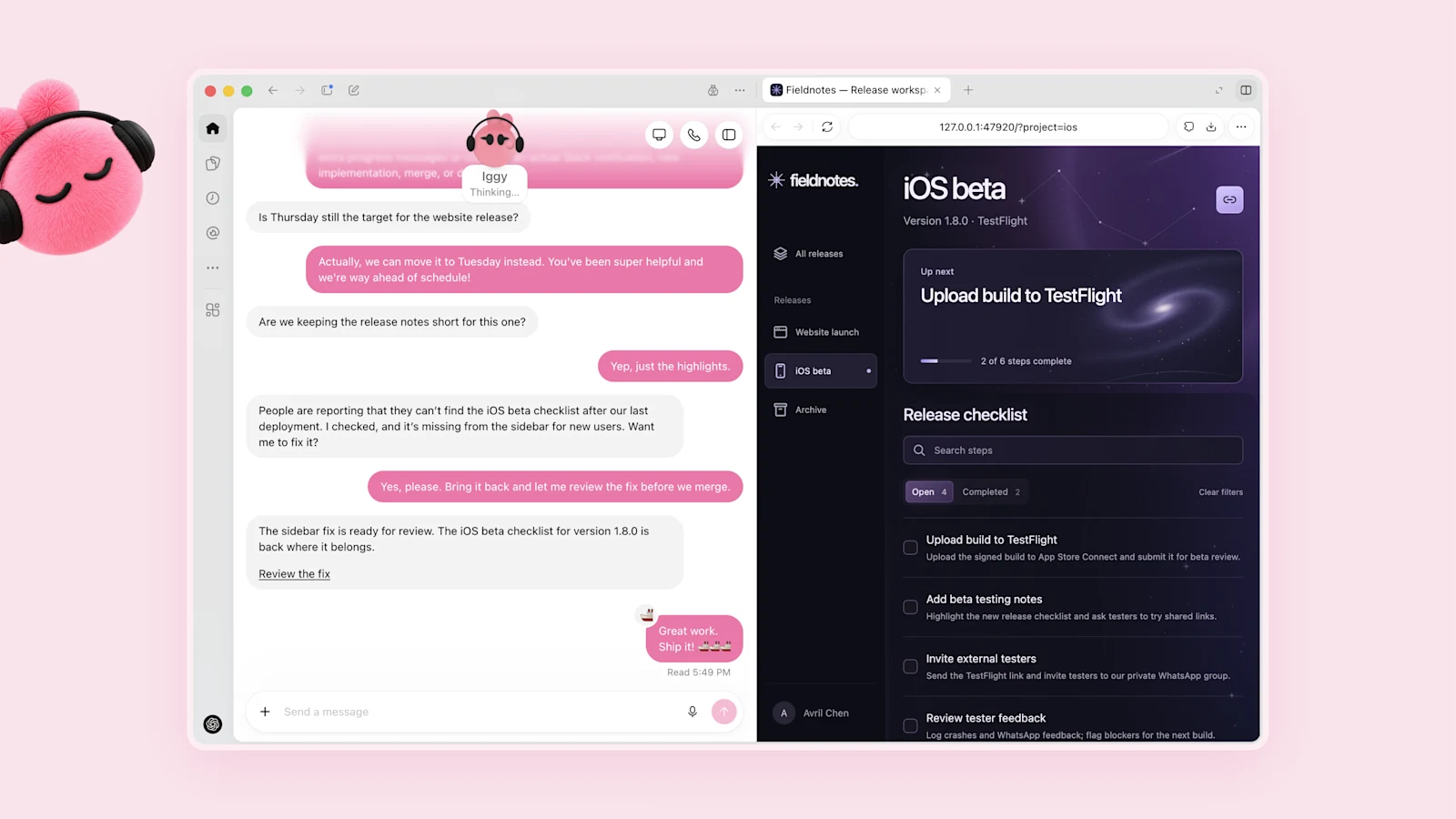
Access: Gradual rollout to adult Pro users in eligible markets and Business Premium users in supported regions. Pro’s launch exclusions include the EEA, UK, and Switzerland. Enterprise, Edu, and Healthcare have an administrator-enabled beta, off by default. Setup starts on desktop or a desktop browser; mobile messaging follows setup. Slack is a contact surface; the enterprise guide describes Teams access as invite-only alpha. Texting is not generally available; help documentation describes a limited US Pro beta.
The first dot is included at no extra charge on Pro or Business Premium, but deeper work has an allowance. Launch-period usage is expanded; official release notes and the launch guide differ on how delegated Work and Codex tasks count during that period. Check current account terms rather than assuming unlimited agent work.
The safety blog makes a crucial distinction: proactive research is read-only. It cannot directly send messages, change connected content, or control a browser or desktop. Specifically requested or scheduled work follows separate permission and action-review rules. Custom Rules do not disable built-in safeguards. The control guide also says Pause stops the dot’s current main task, not every delegated task or future schedule.
Specialist dots are a separate enterprise-pilot preview: dedicated organizational responsibilities, identities, credentials, and integrations, with engineering teams helping define the operating boundary. OpenAI is working on Microsoft Agent 365 integration. Neither is a universally released enterprise feature.
GPT-6.1 Sol
GPT-6.1 Sol upgrades GPT-6 Sol, with OpenAI positioning it near Astra on coding, computer use, and professional work at one-fifth of Astra’s standard input and output token prices. The API model is gpt-6.1-sol.
The model reference lists a 1,050,000-token context window, a maximum 128,000-token output, text and image input, and text output. Medium is the default reasoning effort; tool use requires the Responses API. Standard API pricing is:
| Token category | USD per million tokens |
|---|---|
| Input | $2 |
| Cached input | $0.10 |
| Output | $10 |
These are short-context rates. Above 272,000 input tokens, higher rates apply to the whole request: $4 input, $0.20 cached input, and $15 output per million. Cache writes, tool use, and speed tiers can add cost. A fifth of the token price is not a promise that every completed task is 80 percent cheaper.

OpenAI reports a 6.4-point improvement over GPT-6 Sol’s best DeepSWE result at lower effort and cost; at medium effort, a 4.8-point AutomationBench improvement over the prior Sol; and an OSWorld offline result within 2.1 points of Astra at maximum effort at roughly one-seventh the task cost. These are vendor evaluations with specific harnesses and settings, not results from our deployment. Astra still leads its Terminal-Bench Science comparison. The system-card addendum also records mixed safety results, including a coding-misrepresentation regression against GPT-6 Sol. “Near-Astra” does not mean identical capabilities or uniformly better behavior.
Access: Available in the API and rolling out in ChatGPT Work and Codex, starting with Pro and expanding across Plus, Business, Enterprise, and Edu. Enterprise/Edu access needs administrator enablement. The launch blog explicitly says it is not yet in ordinary Chat. Sol Ultrafast is coming later.
Ultrafast
Ultrafast is a premium speed tier, not a new model. OpenAI advertises up to eight times faster Astra token generation in Codex, at 300 tokens per second, and up to six times in the API. The speed guide explicitly distinguishes token generation from total task time. A faster model stream does not make a slow build, browser interaction, or approval eight times faster.
In the API, use gpt-6-astra with service_tier: "ultrafast". The standard short-context Ultrafast rates are $60 input, $6 cached input, and $300 output per million tokens, six times Astra Standard. Long-context rates are higher. Persistent WebSockets are recommended for rapid tool loops, not mandatory.
Access: Astra Ultrafast is available in the API at its documented rate limits, separately from subscription eligibility. Work/Codex access is on Pro 500 and eligible Enterprise/Edu arrangements, with administrator and residency restrictions; it is not available where non-US inference residency is required. Included subscription allowance is consumed at eight times Standard; purchased credits and eligible pay-as-you-go usage are billed at six times. GPT-6.1 Sol Ultrafast is coming soon, not part of today’s available Sol modes.
Private Intelligence
Private Intelligence groups two developments that should not be flattened into “OpenAI can never see anything.” The first is Zero Data Retention with Private Safety Processing, whose phased API rollout began before DevDay. The second is Private Inference, a confidential-computing preview the recap says is coming this fall.
The PSP guide describes encrypted safety records in customer-controlled cloud storage and protected, hardware-attested review that releases bounded safety signals rather than the underlying content to OpenAI personnel. Safety monitoring still happens. Customer storage must retain records for at least thirty days; “Zero Data Retention” here does not mean no storage anywhere.
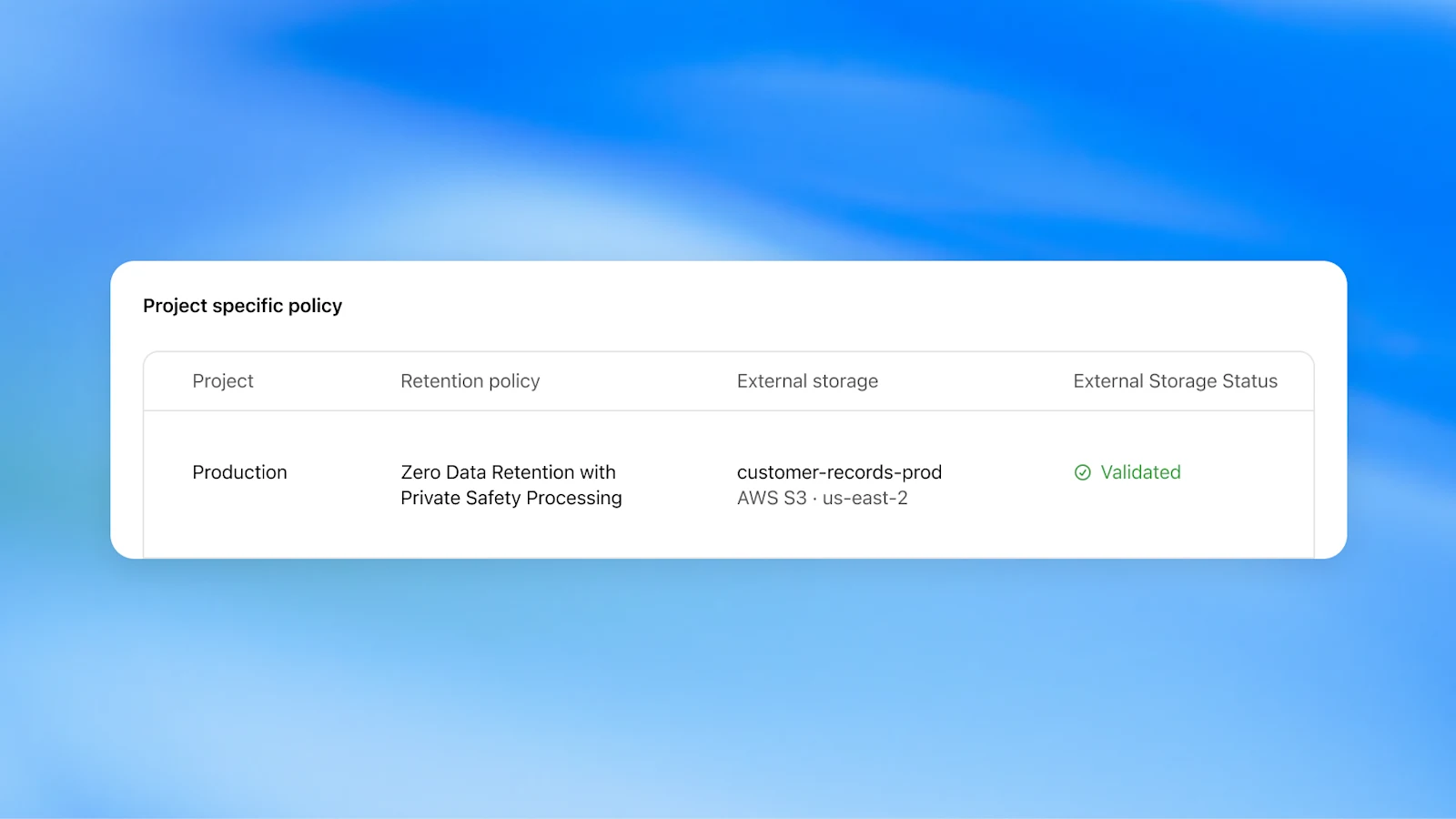
Access and limits: ZDR approval, validated storage, project configuration, and supported endpoints matter. The data-controls guide retains exceptions, including potential CSAM images held for manual review and reporting. PSP is not inference-wide zero operator access and does not automatically cover stateful agents or third-party services. Private Inference is not established as generally available: the interest page says “in preview,” while the recap says “coming this fall.” No public universal price or opening date is given.
The developer toolbox gets bigger
Codex in the cloud
Codex cloud makes development work reachable from web, desktop, or a phone while execution continues remotely. The substantive addition is reusable cloud environments: repositories, dependencies, tools, and access settings prepared once, reviewed, then published for future tasks. Each task gets an isolated workspace from that setup.
Saving configuration, publishing the prepared filesystem, and sharing access are separate actions. Existing tasks keep their own state; publishing an update affects new ones. An install script records preparation, and a start skill records service startup and readiness. This is closer to a repeatable development environment than a one-off remote prompt.
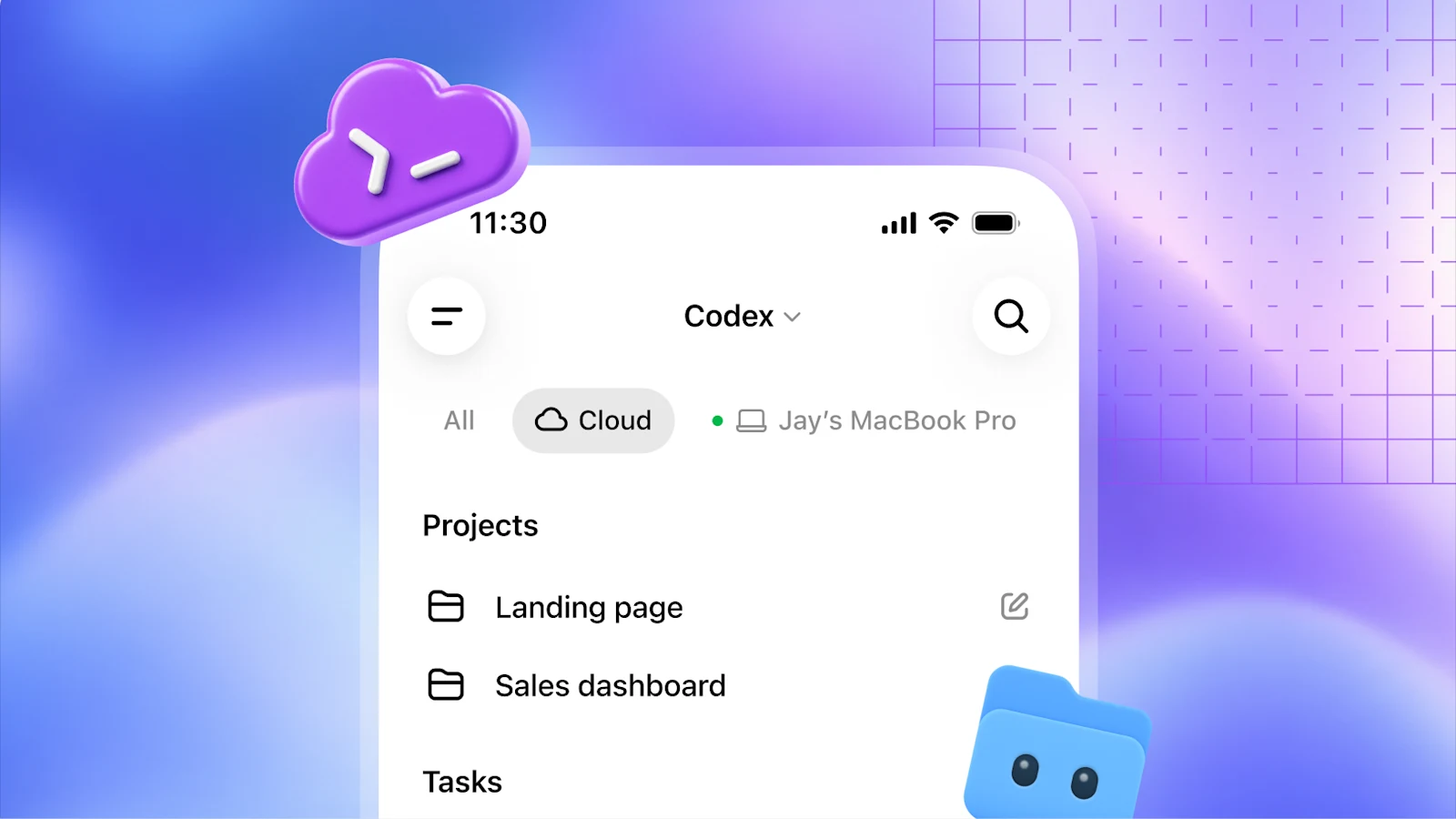
Access: Plus, Pro, Business, Healthcare, Education, and Enterprise, subject to workspace permissions and rollout. Cloud and local work draw on the plan’s allowance. Shared setup does not grant access to someone else’s task or share personal credentials. The new reusable-environment guide lists computer/browser use and GitLab support as current limitations. Do not import capabilities from the separate Agents API or legacy cloud integrations into this new environment.
A refreshed Codex CLI
The CLI refresh adds voice-led task starting and steering, an announced /agents view for delegation and tracking, and a cleaner terminal interface. Prompt editing, session resumption, and worktree workflows make the longer coding session less of a scroll expedition.
Some supporting features shipped before the event; DevDay collects and extends that workflow rather than making every CLI command new. The official changelog records voice and worktree improvements before 29 September, and new steering/UI changes on the day. The recap names /agents, while parts of the command reference still name older agent-switching commands. Follow the installed release’s help rather than treating those names as interchangeable.
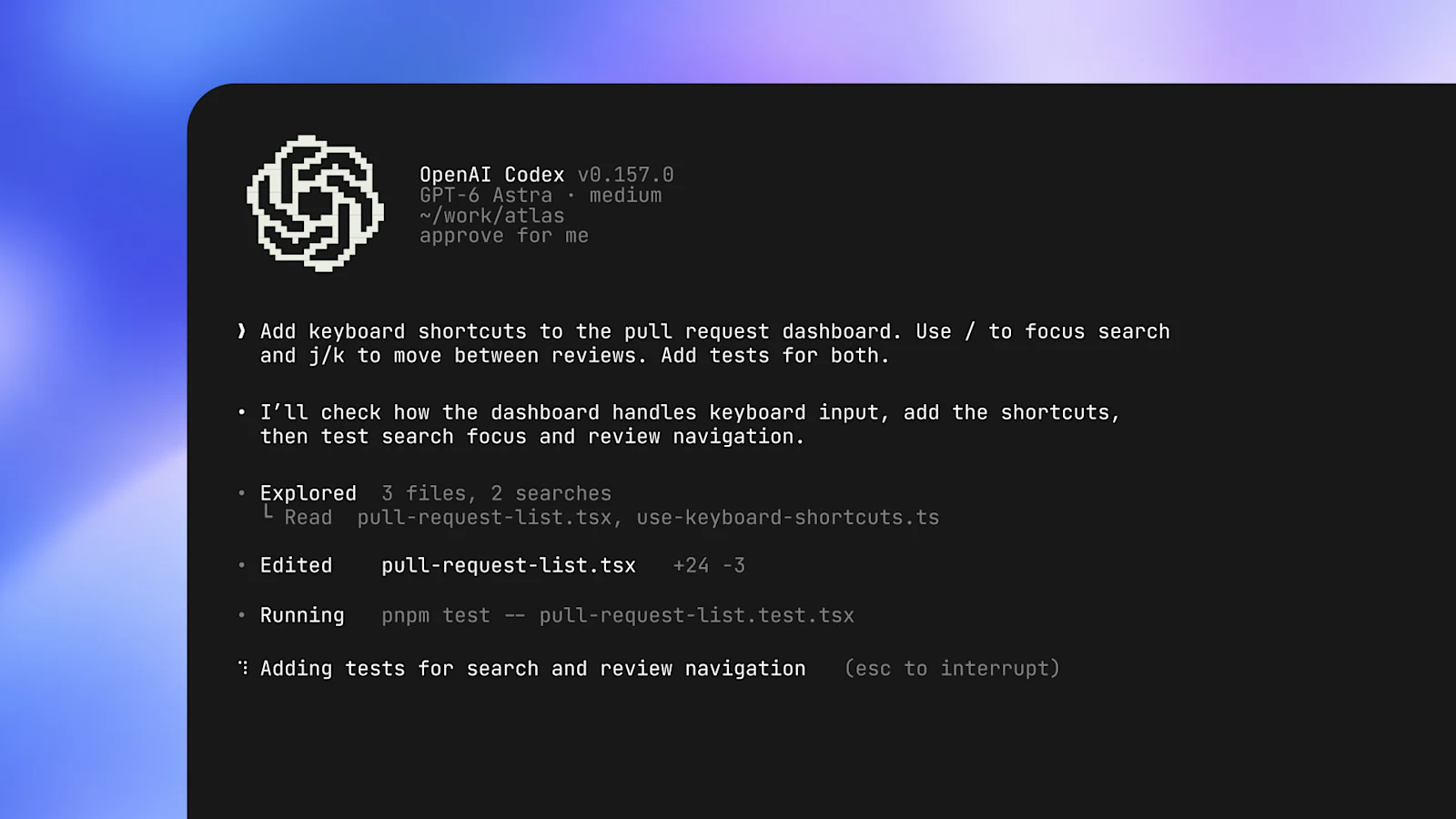
Access: The recap lists all plans, with model access and usage determined by the subscription. Local file edits and commands still use the configured sandbox and approval boundaries.
Code Review
Code Review brings project-wide summaries, diffs, and questions about changes into the ChatGPT desktop app. You can inspect a change with Codex before choosing findings to send to GitHub or GitLab. Automatic cloud reviews are a separate, configurable first pass, not the same as opening a PR in chat.
Access: The recap lists all plans. The guide says GitHub review is generally available and GitLab merge-request support is in preview. Connected repository access is required. Reviewing in chat does not approve or merge the change; posting a comment in the provider-facing Summary or Changes view can send it immediately. Keep investigation in chat until you intend to publish feedback. A model’s review remains evidence to check against the current diff and tests, not a substitute for them.
Codex Security Cloud
Security Cloud turns repository security review into an ongoing cloud workflow: on-demand scans, scheduling, new-commit checks, investigation, deduplication, and proposed fixes. Its FAQ describes isolated validation environments and reproducible evidence attached where available. A validated finding is stronger than an untested suspicion; an unvalidated finding is not automatically false.
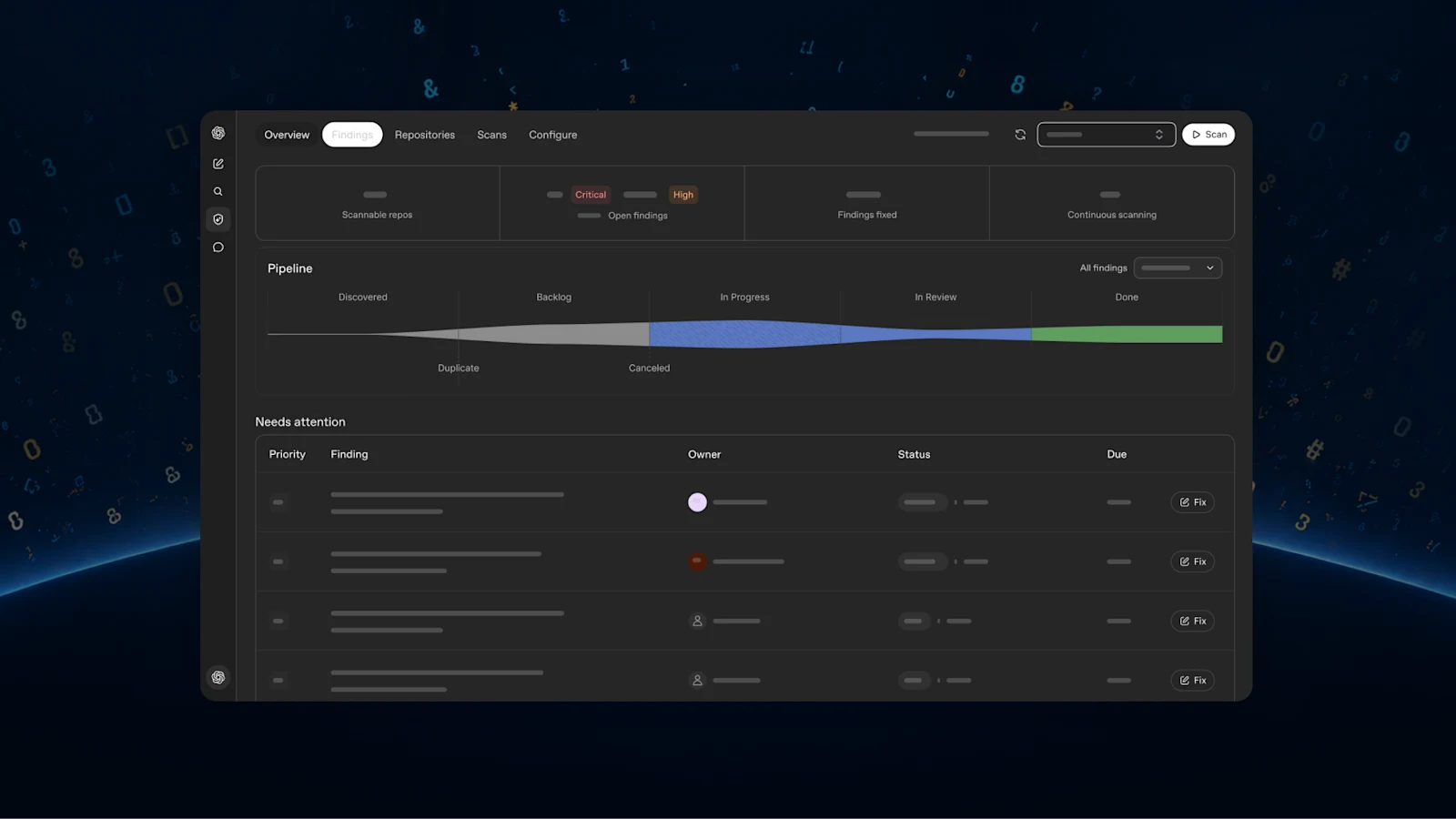
Access: Pro, Business, Enterprise, and Edu on desktop/web, with GitHub access and a compatible cloud environment. It includes models offered through Daybreak Blue without a separate application for this experience. That is not unrestricted Daybreak API access or Daybreak Red approval. Fixes are reviewed before a draft PR; patches are not automatically applied. It complements other security testing.
Decisions API
The Decisions API announcement focuses Luna’s intelligence on user-defined questions with finite, predefined answers. Developers supply text or image context and receive answers for classification, routing, or selecting an agent’s next step. The idea is a decision-shaped interface rather than an invitation to write a paragraph.
Access: Limited preview, with broader release planned in the coming days. The recap provides no dedicated technical link; an endpoint schema, pricing, and numerical latency are not established in the public sources reviewed. Selecting an action is separate from executing it.
Agents API with computer use
The Agents API launched in public beta on 10 September. DevDay’s addition is computer use: an OpenAI-hosted browser that can navigate websites and interact with application interfaces. Multi-agent orchestration, tool search, programmatic tool calling, and context compaction were already part of the managed harness.
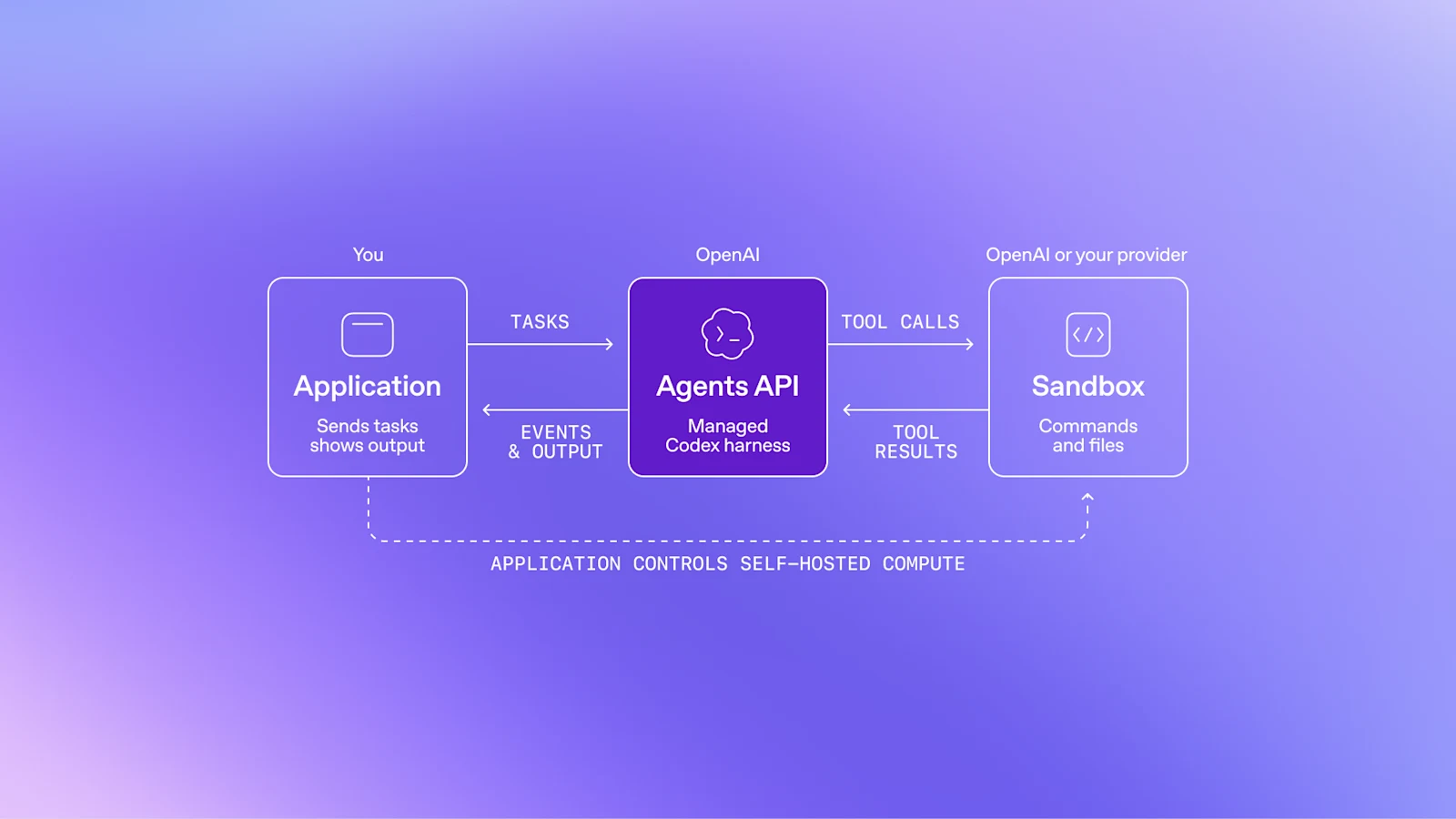
The browser requires approval for each new website origin, including public sites. The guide explicitly warns that origin approval is not guaranteed confirmation before every purchase or destructive action. Applications needing that guarantee must enforce the boundary in controlled tools or execution environments. Supported sign-in values are submitted outside model input; that does not remove sensitive data from the resulting pages or screenshots.
Access and cost: The API remains public beta; the recap lists computer-use surfaces in Codex/Work for Pro 500 and Enterprise. Model, tool, and hosted-container costs apply, without a separate harness fee. The overview currently specifies US data residency only and no ZDR support, even with a self-hosted sandbox. The separate Private Intelligence announcement does not override that restriction.
Bedrock Managed Agents, powered by OpenAI
Amazon Bedrock Managed Agents adapts OpenAI’s agent harness to AWS identity, infrastructure, and resources. The 29 September AWS announcement establishes public preview, following an earlier limited preview. Harness and inference run in AWS; commands can run through AgentCore or configured self-hosted compute.
Access: Preview in US East (N. Virginia), US East (Ohio), and US West (Oregon), with IAM permissions and model access. AWS says there is no additional BMA fee during preview beyond consumed AWS resources; that is not free inference, storage, or networking.
The preview limitations are substantive: text input, no supported subagents, no programmatic tool-calling/code-mode workflow, and no built-in long-term memory integration. It is not feature-identical to the OpenAI-hosted API. “Runs in AWS” also does not stop a configured external tool from sending data elsewhere; application permissions and human-review requirements still need enforcement.
ChatGPT opens its doors
Plugin extensions
Plugin extensions let a plugin have a home in the sidebar, open an interactive panel alongside a conversation, or supply a viewer for a supported file type. OpenAI’s Canva example is a useful picture: a design workspace beside the conversation, not just text returned from a tool.
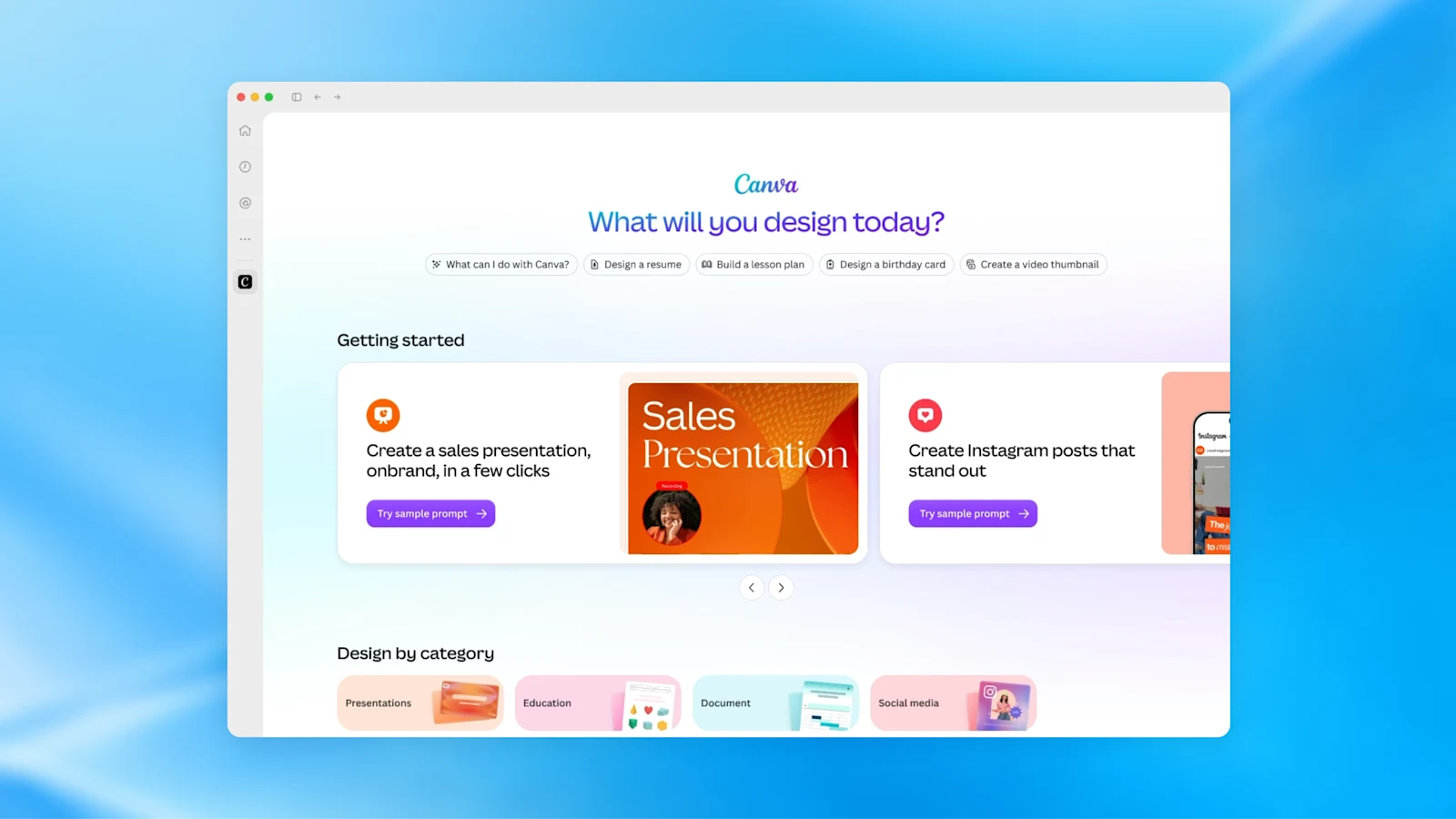
These are OpenAI-specific additions on top of MCP and MCP Apps, not a guarantee of the same UI in every MCP host. The official extension specification defines support by surface.
Access: The recap says all plans, but the developer guide says Free/Go web extensions are coming soon. The launch matrix’s web surface is Work, not classic ChatGPT; file handlers and composer-item mentions are desktop-only. Plugin installation, connected-account access, and permission to perform an action remain separate.
Plugin creation, submission, and discovery
Plugin Creator and the plugin platform make the build-to-discovery path more accessible. Describe the workflow, generate and test a package, then choose personal, workspace, or public distribution. The directory’s ranking and in-conversation recommendations are also being improved. None of those improvements guarantees a listing or an audience.
The submission guide describes ZIP upload, automated findings, publisher/domain checks, review material, and an explicit publication step after approval. Public submission currently supports one connected MCP server and excludes packages with lifecycle hooks or registered app references. Local plugin capabilities are therefore not a promise of public-directory eligibility.
Access: The recap lists all plans; creation and distribution still depend on available surfaces, workspace permissions, and policy. Users select plugins and approve their access. Creator is help with authoring, not a bypass around plugin guidelines, authorization, or review.
Sites can host plugins
There are two directions here. A Site can use supported plugins so each visitor sees data from their own connected accounts and permissions. Separately, Sites can host an MCP server and expose its tools as a ChatGPT plugin: a handbook or project dashboard can become something you query from chat.
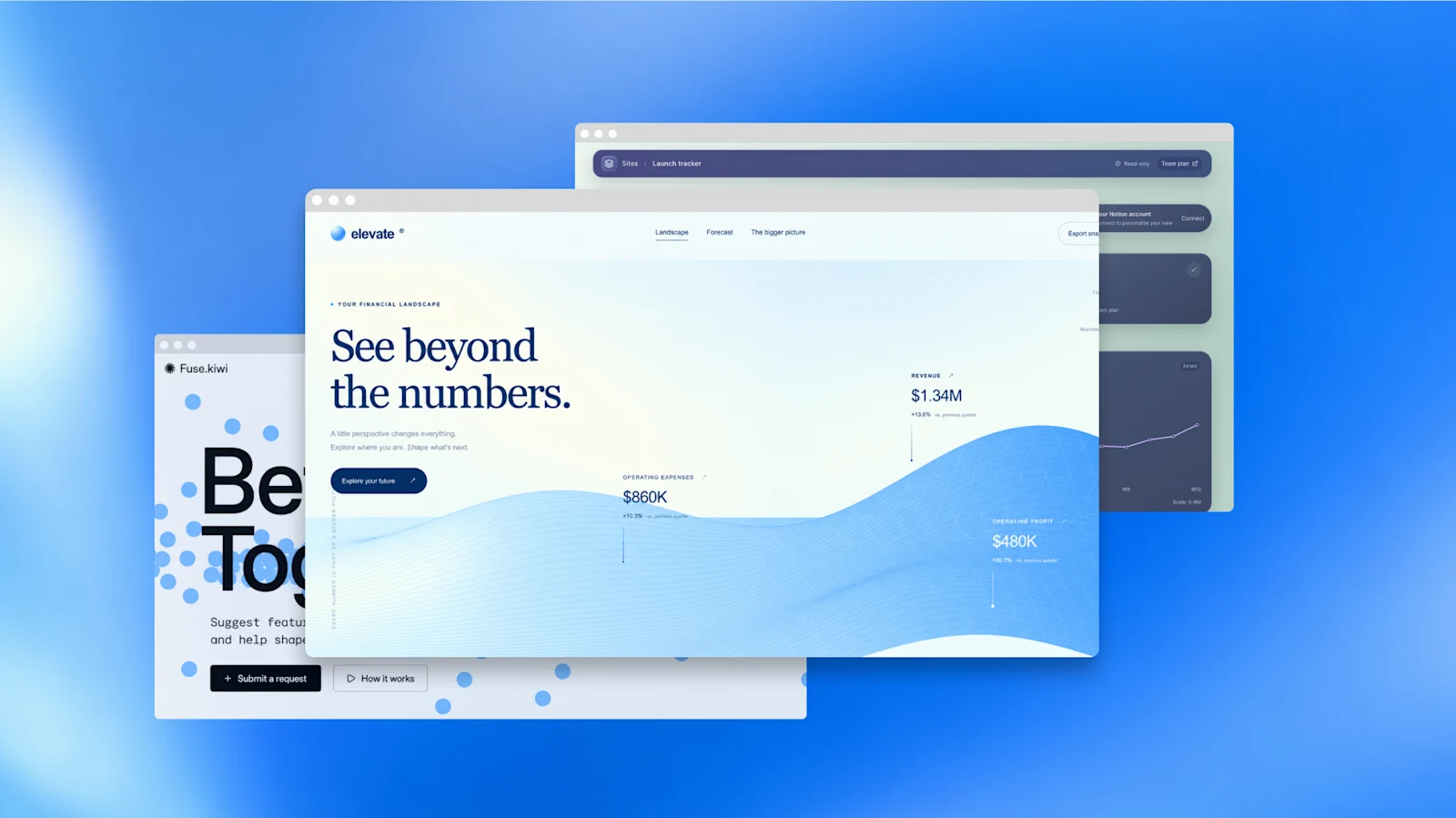
Access: The recap lists Business, Enterprise, Healthcare, and Edu for connected-plugin Sites. The distinct hosting help page says all plans, subject to gradual rollout; general Sites documentation still describes a paid-plan beta. Treat those as separate flows, not proof of unrestricted Free/Go access. A hosted plugin’s recipient needs both Site access and plugin access, plus their own connection. Current personal-plan hosting does not provide direct plugin sharing with other users.
The developer guide permits configured, consented writes following an explicit user action, while the product page still describes read-only connected access. We would verify that path before designing around writes. Visitor-connected data also does not automatically become available to the Site’s background scheduled tasks.
MCP Events for automations
MCP Events support lets a connected app’s event start a configured automation: a new issue arrives, relevant documents are read, and a plan is drafted while the user is away. The plugin server advertises event types, the user chooses what to monitor, and a subscription delivers notifications.
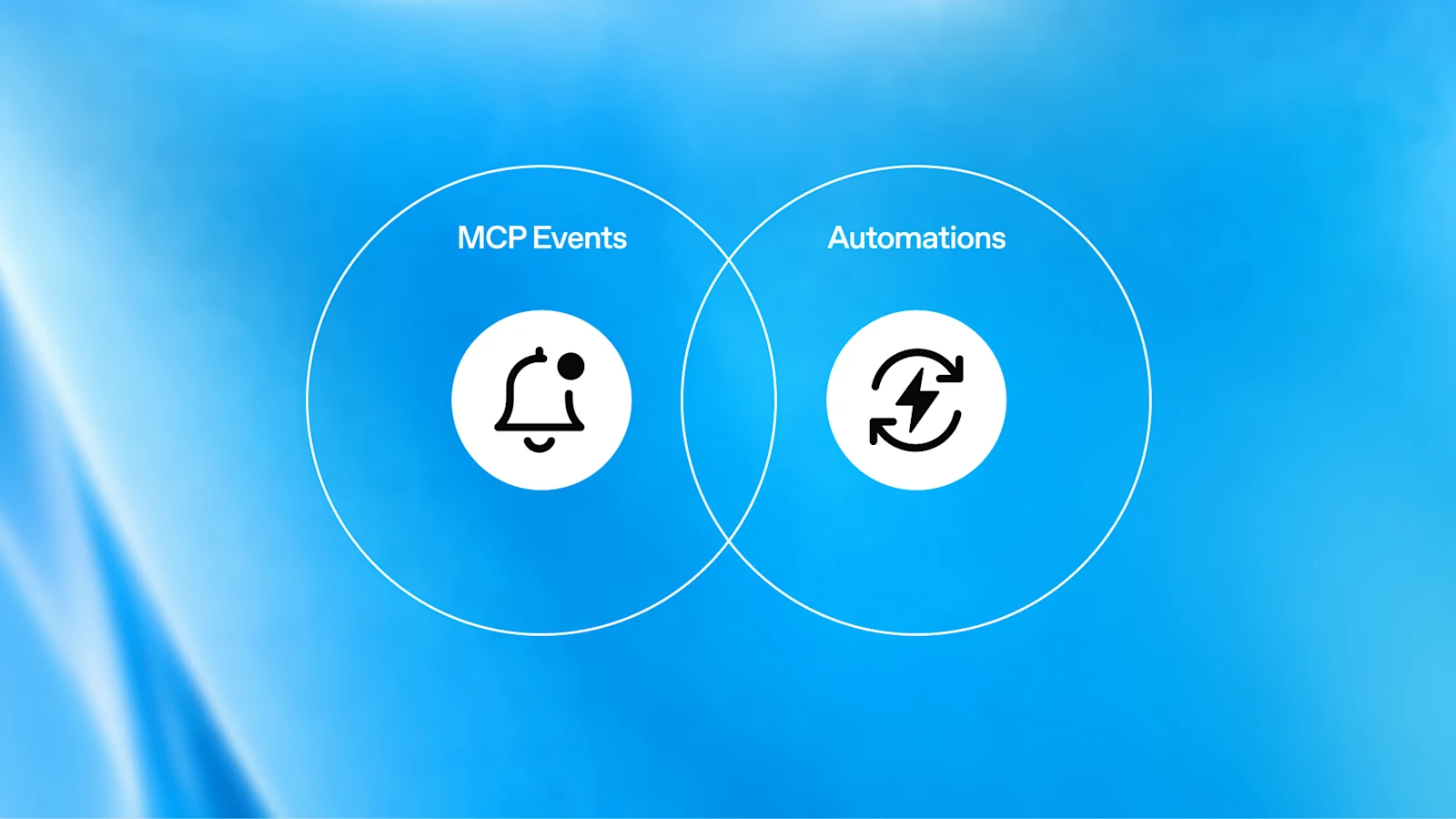
The MCP working group is developing the specification; its incubation repository explicitly calls the work experimental. ChatGPT’s integration requires 2026-07-28 and supports authenticated, signed webhooks with callback verification, not polling or streaming. Duplicate and out-of-order deliveries remain possible, so write operations need retry safety.
Access: The recap labels Events all-plan, but current task help excludes Free/Go from event-triggered tasks. Account, Work, app, and workspace requirements therefore need checking. Receiving an event is not permission to act; normal authorization and action approval still apply.
A workspace for people and agents
ChatGPT Space
Space is the home for pages and files you create, upload, and share in ChatGPT. It replaces Library for accounts with access; existing Projects remain separate. A space groups related work so teammates, ChatGPT, and an eligible dot can work from shared context rather than trade disconnected attachments.
Access: Pro, Business, and Enterprise on desktop/web; mobile initially supports finding, reading, and sharing pages, not creating or editing them. Enterprise sharing is an opt-in preview. Space access does not include a dot automatically, and a page link does not grant access to every linked source.
One attractive promise needs a practical footnote. The product page describes self-updating work, but the agent guide says Keep Updated is not available at launch. Recurring updates require a separately saved and enabled automation. Writing “refresh every Monday” in a page is not itself a schedule.
Pages
Pages are shared, block-based documents with people and agents working in the same material: text, tables, charts, images, interactive visualizations, files, and subpages. You can turn a conversation into a page, ask for a revision on selected text, or mention an agent in the page or comments. Collaborators can edit together and leave feedback.
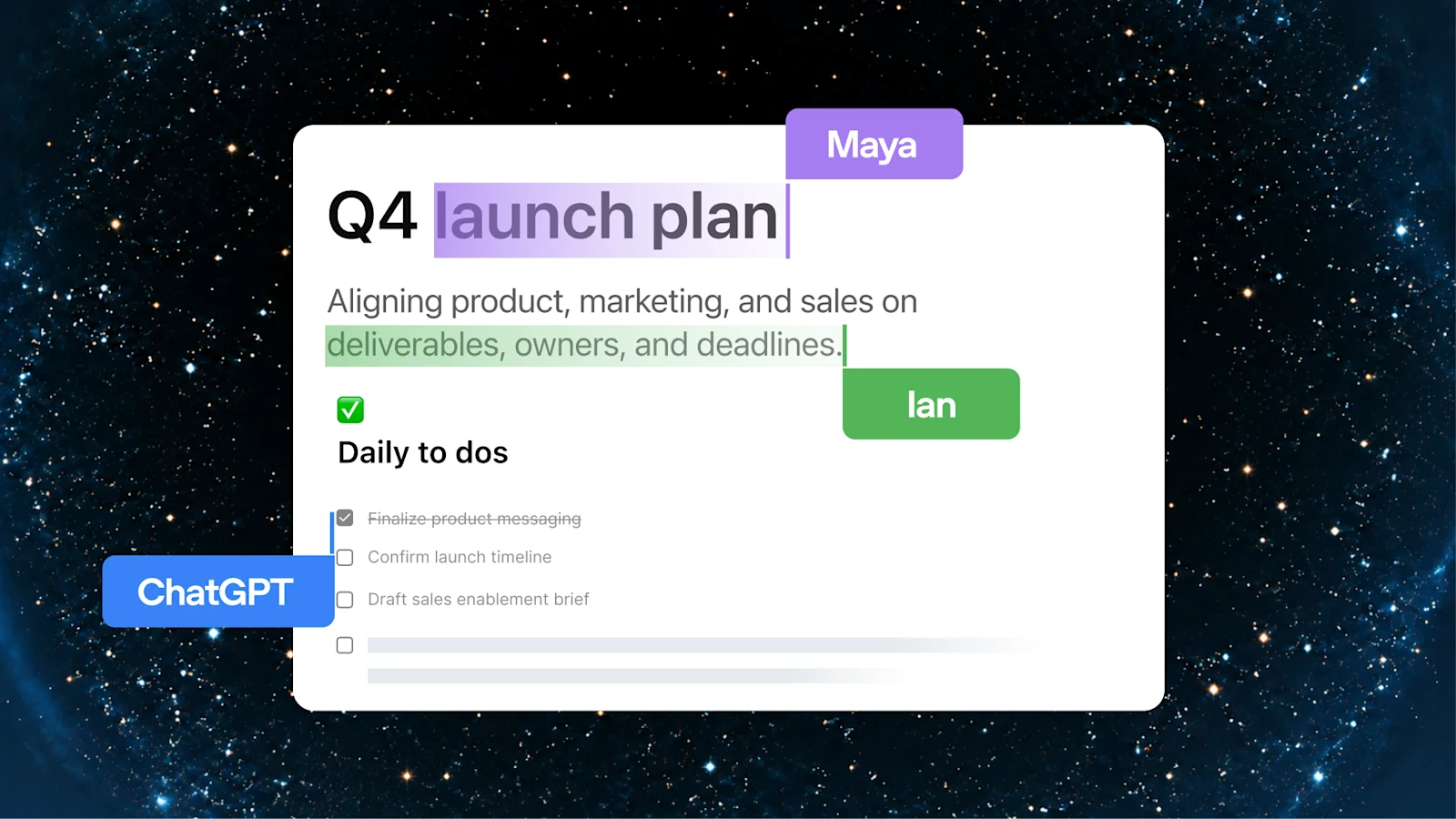
Access: The same announced Pro, Business, and Enterprise surfaces as Space. Each collaborator uses their own available ChatGPT, tools, and permissions. Sharing a page does not expose private chats or memory wholesale, but information copied from them into the page is shared. Linked files keep their own access controls. An interactive visualization is usually a snapshot, not proof of a live data connection.
Collaborative slides
The collaborative-slides preview promises decks built from a conversation or template, with teammates and agents editing and commenting simultaneously. OpenAI says people will be able to present in ChatGPT or export to PowerPoint and Google Slides with formatting intact.
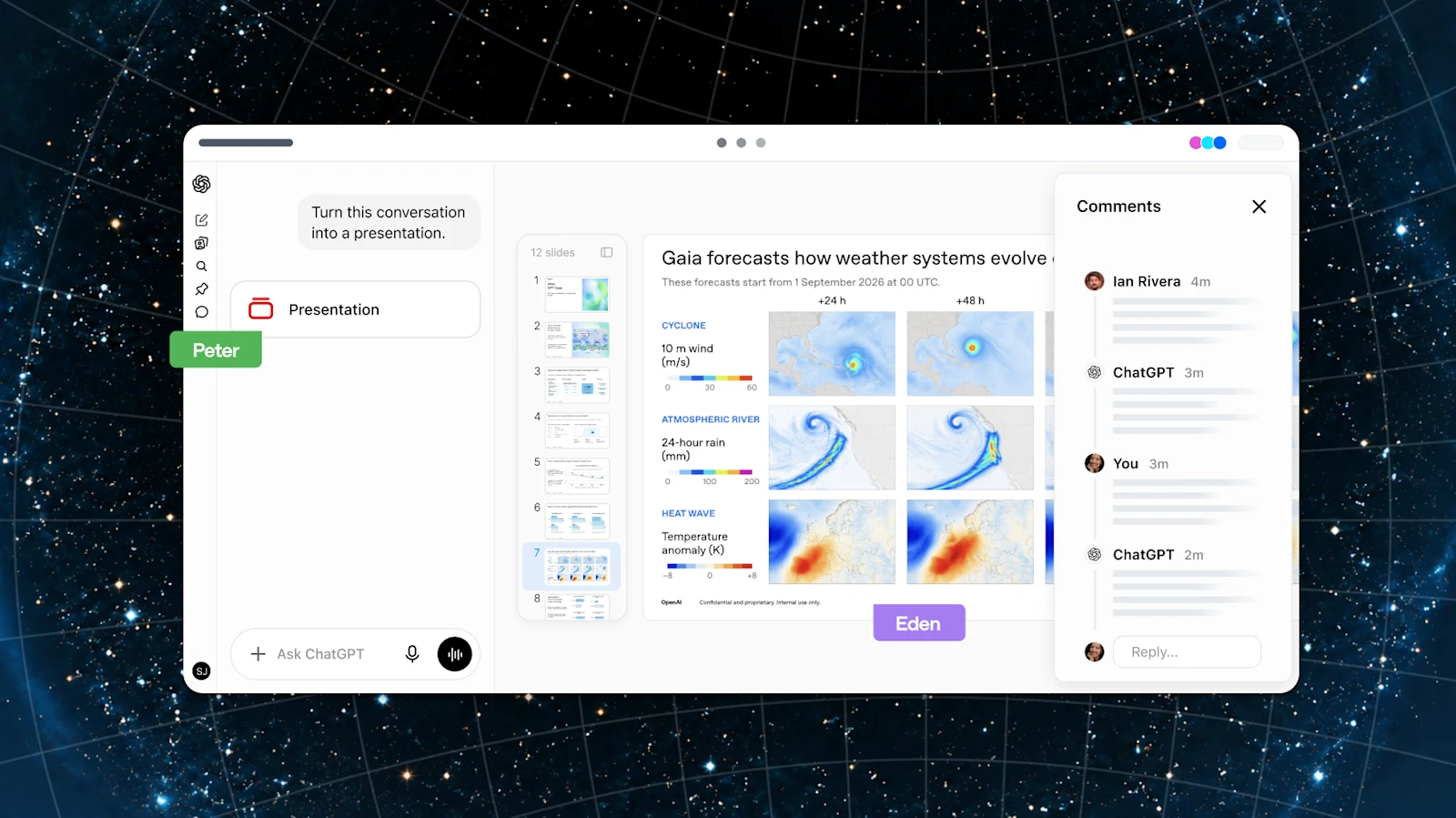
Access: Coming to Pro, Business, and Enterprise in the coming weeks. There is no precise release date or independently tested export-fidelity result in the sources reviewed. The Space page also previews collaborative spreadsheets; existing spreadsheet or deck creation should not be confused with the forthcoming multiplayer editors.
Teams and shared tasks
Teams and Team Tasks give colleagues reusable membership and shared recurring work inside an existing ChatGPT workspace. A team is the people; a Space is shared content. Neither is Microsoft Teams or a new subscription plan.
Team Tasks run in the cloud under a service account, with saved instructions, configured connections, and schedules or supported events. They can prepare a weekly project update or a research brief while the creator’s laptop is closed. They do not automatically inherit the creator’s private memory or all the contents of a shared Space.
Access: Business and Enterprise, subject to workspace settings. Usage draws on workspace credits and team spending limits. The guide says new team members can see earlier runs and generated files, with no separate per-run access restriction. A shared connection can also reach information a member’s own account cannot. Review both the team’s membership and its acting identity. Pausing future schedules is not a guarantee that an already running task stops.
@ChatGPT in Slack and Microsoft Teams
@ChatGPT brings a shared assistant into channels, threads, and supported direct conversations. A team can add context, turn a discussion into a plan, or ask approved tools to help without every participant buying an individual ChatGPT license. Organizational setup, permissions, and usage still apply.
Access: The recap names Business and Enterprise; the product page and administrator setup guide also list Edu. It must be installed and configured by administrators. This is a shared service-account assistant, not automatically each requester’s personal ChatGPT; the user guide says it does not record or access memory at launch.
Company connections use their configured identity; personal tools need separate authorization. Replies remain visible to the conversation’s participants even when the underlying access was authorized privately. Basic chat availability is not proof that repository delegation, every Teams surface, or every write workflow is configured.
Meetings plugin
The Meetings plugin takes notes from microphone and system audio without a bot joining the meeting. It creates a private page, then adds a personalized summary and suggested action items. You can review an action and explicitly ask ChatGPT to draft a follow-up or update a plan.
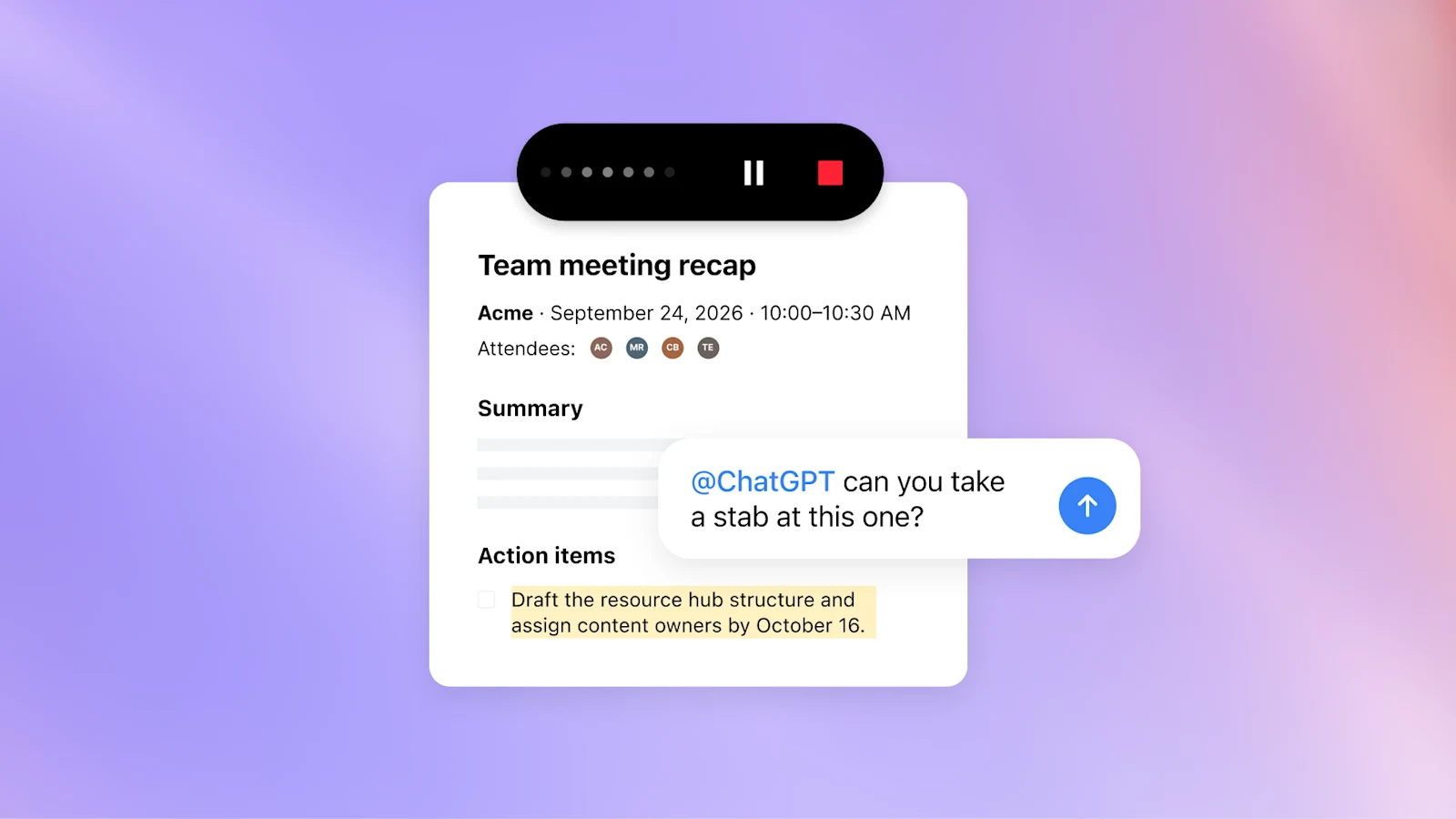
Access: Beta in the macOS desktop app for all Pro and Business plans. iOS, Android, and Windows are coming soon. Enterprise has a limited alpha, not general availability. Business workspaces need Space and the plugin enabled.
Tell everyone and get their consent before starting; the reminder shown to you does not notify participants or obtain consent. Audio streams to OpenAI. Once notes are ready, audio is deleted from the Mac and OpenAI’s servers and cannot be replayed; offline or unfinished processing can leave it temporarily on the Mac. This is not a claim that audio is never stored or that transcripts follow the same deletion rule. Sharing a meeting page shares the notes, not the transcript.
Shareable profiles
Profiles bring selected Sites and activity together, with customizable identity and layout. OpenAI’s recap also describes plugin discovery and workspace-only skills sharing. The detailed help documents a Sites showcase and top-plugin activity; it does not establish a public personal-skills marketplace.
Access: Personal plans and Business on web/desktop, subject to rollout. There is a real source mismatch: the recap includes Enterprise, while dedicated help and release notes say Enterprise is coming later. Mobile Site showcases are not available at launch.
Personal profiles start private and can be shared publicly, but viewers must sign in to ChatGPT. Business profiles are workspace-only and administrator-controlled. A showcase does not change a Site’s permissions, and profiles do not reveal private conversation titles or content. Think portfolio, not an automatic public archive of your chats.
The subscription travels with you
Sign in and use your plan elsewhere
Sign in with ChatGPT and plan sharing are two related but distinct moves. Identity sign-in can link an external account without automatically exposing your chats or memory. Eligible Plus and Pro users can separately authorize participating tools to use their existing Work/Codex allowance. That is one shared pool, not a fresh allowance in every app.
The official directory lists twelve plan-usage apps: Amp Code, Conductor, Dactyl, Devin, Hermes Agent, Hyperagent, Kilo Code, Lovable, Notion, Vercel, Vorflux, and Warp. Lovable is labeled coming soon. It also lists four open-source integrations: OpenClaw, OpenCode, Pi, and T3. Those account for the recap’s sixteen; sign-in-only partners are a separate list.
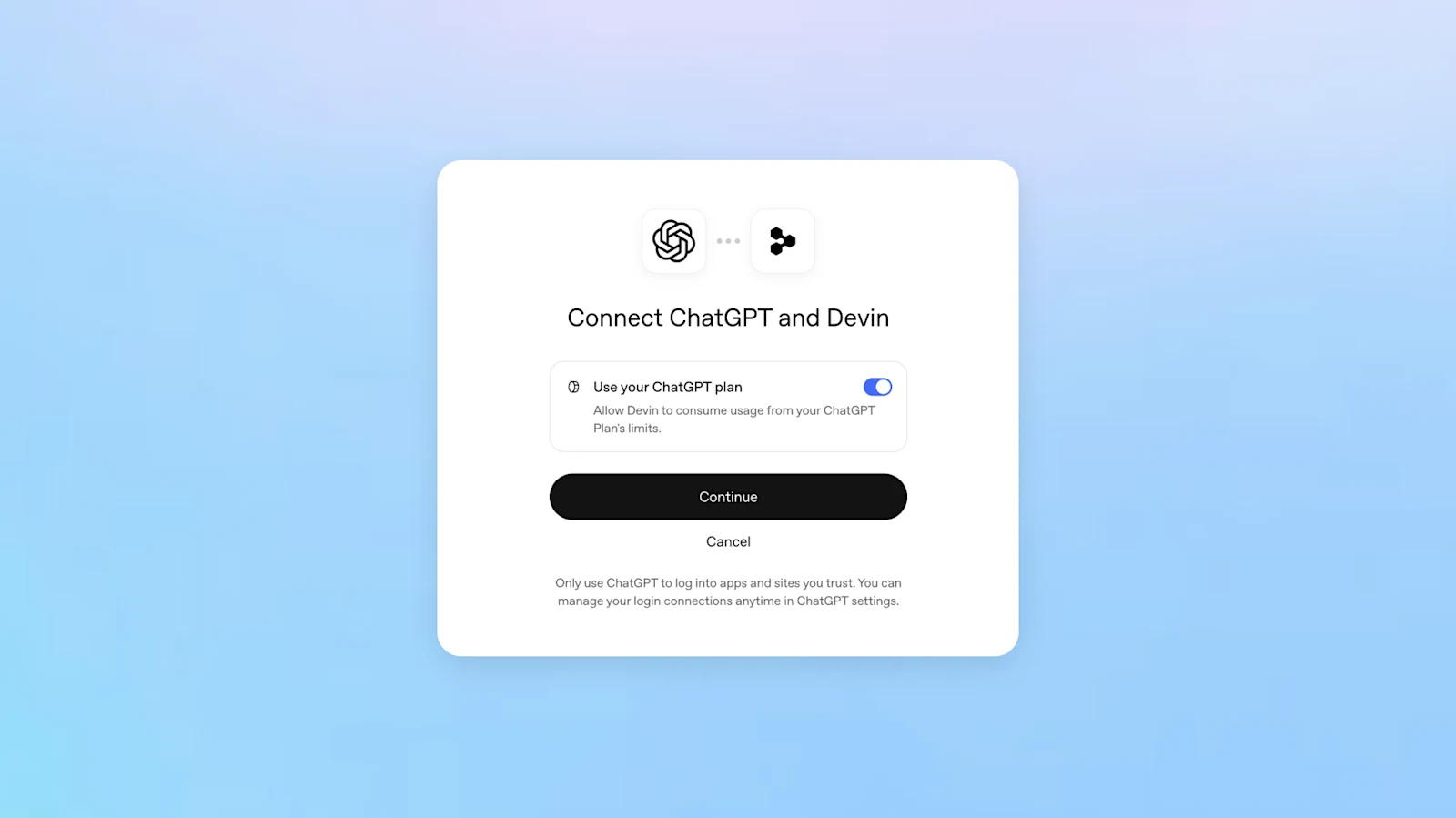
Access and control: The recap describes identity as global, but subscription sharing is Plus/Pro-only in participating tools, sometimes with app-side eligibility. Weekly per-app percentage caps do not reserve capacity or increase the total pool. Spending credits after included usage requires a separate opt-in; setting an app cap to 100 percent alone does not enable it. Partner fees remain separate.
The developer integration has preview constraints; consumer-plan authorization is not unlimited access to every hosted API tool. Disconnect the login connection to revoke access; signing out of the partner app is not the same operation.
Pro 500
Pro 500 is the new $500-per-month USD tier. The recap advertises the highest Pro allowance, 25 times Plus, and Astra Ultrafast. The published Pro tiers are $100, $200, and $500 monthly. These are published USD prices, not a tax-inclusive Omani checkout quote.
Access: Available now, with web subscription at launch. Twenty-five times allowance does not mean twenty-five times speed or a guaranteed task count. Ultrafast can consume that allowance faster; purchased credits on lower self-serve tiers do not unlock it. OpenAI’s Pro-tier guide separately describes temporary allowance grandfathering for eligible existing Pro 200 users through 29 October, not an automatic Pro 500 upgrade.
OpenAI Marketplace
Marketplace is an enterprise procurement program, not the plugin directory and not consumer subscription sharing. Eligible customers can apply part of an existing OpenAI commitment toward specific approved partner software. OpenAI lists thirty-two initial partners, including Figma, Adobe, Salesforce, ServiceNow, Harvey, Legora, Palo Alto Networks, CrowdStrike, and Baseten.
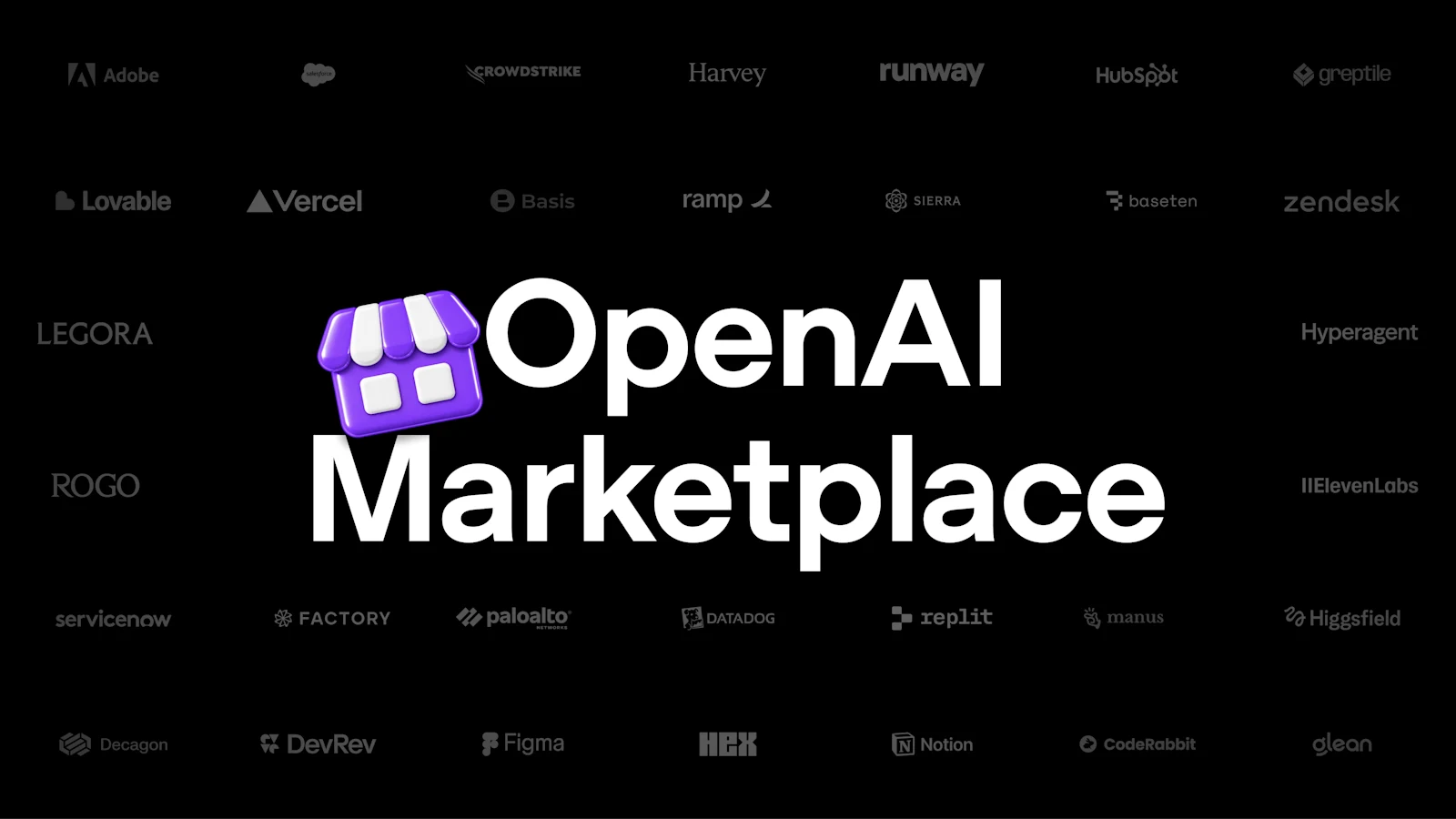
Access: Eligible enterprise customers can express interest; agreement, selected product, and program terms determine participation. The FAQ says customers contract with and pay the partner directly, while OpenAI reconciles commitment use. It is not universal OpenAI billing or a balance transferable to any vendor. Baseten’s listed connector brings open-weight models hosted by Baseten through the Responses API and Codex; that is more specific than unrestricted open-source-model credits.
The sixteen plan-sharing partners and thirty-two Marketplace partners belong to different programs. A company appearing in both does not make their entitlements interchangeable.
What to try first
The fun part is how many doors now open from one conversation. The engineering part is knowing which door you went through.
For a developer, start with a real workflow and choose the appropriate surface: Sol for cost-sensitive reasoning, Ultrafast when model generation is the bottleneck, Codex for repository work, Decisions for the announced finite-answer contract, or the Agents API when you need the managed harness and browser. Compare finished-task quality, elapsed time, cost, and correction burden, not just a model’s headline score.
For a team, start with one shared page or one recurring task. Name its audience, source accounts, acting identity, permission boundaries, spending limit, review points, and stop procedure. Check the actual account rollout. A shared assistant can have a different view of the company from the person asking it a question.
For a platform builder, the opportunity is not merely another connector. It is a useful product experience inside the conversation, with a clear authorization contract and an event path that survives retries. For an enterprise buyer, privacy configuration and procurement eligibility are separate from feature availability.
DevDay’s story is the connection of these pieces: intelligence, computer, interface, shared context, identity, and distribution. Some are available, some are being rolled out, and some are still a promise. Keeping those distinctions intact is how the exciting demo becomes something a business can responsibly use.
References
- OpenAI. DevDay 2026 Recap. 29 Sep 2026. openai.com
- OpenAI. Introducing dots. 29 Sep 2026. openai.com
- OpenAI. How we build safety, security, and privacy into dots. 29 Sep 2026. openai.com
- OpenAI. Getting started with your dot. accessed 30 Sep 2026. help.openai.com
- OpenAI. Manage dots permissions and capabilities. accessed 30 Sep 2026. learn.chatgpt.com
- OpenAI. Introducing GPT-6.1 Sol. 29 Sep 2026. openai.com
- OpenAI. GPT-6.1 Sol model reference. accessed 30 Sep 2026. developers.openai.com
- OpenAI. GPT-6.1 Sol system-card addendum. 29 Sep 2026. deploymentsafety.openai.com
- OpenAI. Ultrafast mode. accessed 30 Sep 2026. developers.openai.com
- OpenAI. Speed in ChatGPT Work and Codex. accessed 30 Sep 2026. learn.chatgpt.com
- OpenAI. Offering Zero Data Retention for frontier models. 19 Aug 2026, updated 22 Sep 2026. openai.com
- OpenAI. ZDR with Private Safety Processing. accessed 30 Sep 2026. developers.openai.com
- OpenAI. Data controls in the OpenAI platform. accessed 30 Sep 2026. developers.openai.com
- OpenAI. Register your interest in Private Intelligence. accessed 30 Sep 2026. openai.com
- OpenAI. Codex cloud environments. accessed 30 Sep 2026. learn.chatgpt.com
- OpenAI. Codex CLI. accessed 30 Sep 2026. learn.chatgpt.com
- OpenAI. Code Review. accessed 30 Sep 2026. learn.chatgpt.com
- OpenAI. Codex Security Cloud FAQ. accessed 30 Sep 2026. learn.chatgpt.com
- OpenAI. Introducing the Agents API. 10 Sep 2026. openai.com
- OpenAI. Agents API computer-use guide. accessed 30 Sep 2026. developers.openai.com
- Amazon Web Services. Amazon Bedrock Managed Agents, powered by OpenAI, is now available in preview. 29 Sep 2026. aws.amazon.com
- Amazon Web Services. Bedrock Managed Agents preview availability and limitations. accessed 30 Sep 2026. docs.aws.amazon.com
- OpenAI. Plugin Extensions. accessed 30 Sep 2026. developers.openai.com
- OpenAI. OpenAI MCP Extensions specification. accessed 30 Sep 2026. github.com/openai
- OpenAI. Upload and submit your plugin. accessed 30 Sep 2026. developers.openai.com
- OpenAI. Plugin guidelines. accessed 30 Sep 2026. developers.openai.com
- OpenAI. Sites. accessed 30 Sep 2026. chatgpt.com
- OpenAI. Hosting a plugin with ChatGPT Sites. accessed 30 Sep 2026. help.openai.com
- OpenAI. Sites developer guide. accessed 30 Sep 2026. learn.chatgpt.com
- OpenAI. MCP Events. accessed 30 Sep 2026. developers.openai.com
- Model Context Protocol. Triggers and Events Working Group. accessed 30 Sep 2026. modelcontextprotocol.io
- OpenAI. Scheduled tasks in ChatGPT. accessed 30 Sep 2026. help.openai.com
- OpenAI. ChatGPT Space. accessed 30 Sep 2026. chatgpt.com
- OpenAI. Work with pages and agents in Space. accessed 30 Sep 2026. learn.chatgpt.com
- OpenAI. Set up and manage teams and Team Tasks. accessed 30 Sep 2026. learn.chatgpt.com
- OpenAI. Setting up and managing @ChatGPT in Slack and Microsoft Teams. accessed 30 Sep 2026. help.openai.com
- OpenAI. The Meetings plugin in ChatGPT. accessed 30 Sep 2026. help.openai.com
- OpenAI. Shareable profiles in ChatGPT. accessed 30 Sep 2026. help.openai.com
- OpenAI. ChatGPT release notes, 29 September entries. 29 Sep 2026. help.openai.com
- OpenAI. Using your ChatGPT plan in other apps and sites. accessed 30 Sep 2026. help.openai.com
- OpenAI. Sign in with ChatGPT: partners. accessed 30 Sep 2026. learn.chatgpt.com
- OpenAI. ChatGPT plan usage in your open-source app. accessed 30 Sep 2026. developers.openai.com
- OpenAI. About ChatGPT Pro tiers. accessed 30 Sep 2026. help.openai.com
- OpenAI. OpenAI Marketplace. accessed 30 Sep 2026. openai.com